A QUICK TOUR OF BACKLOG HOLD'EM

Less guessing.
More understanding.

Bring your team to the table. Estimate independently, reveal together, and turn different perspectives into a better plan.

No account needed. Just a name and a room link.

DIFFERENT ESTIMATES. ONE CONVERSATION.
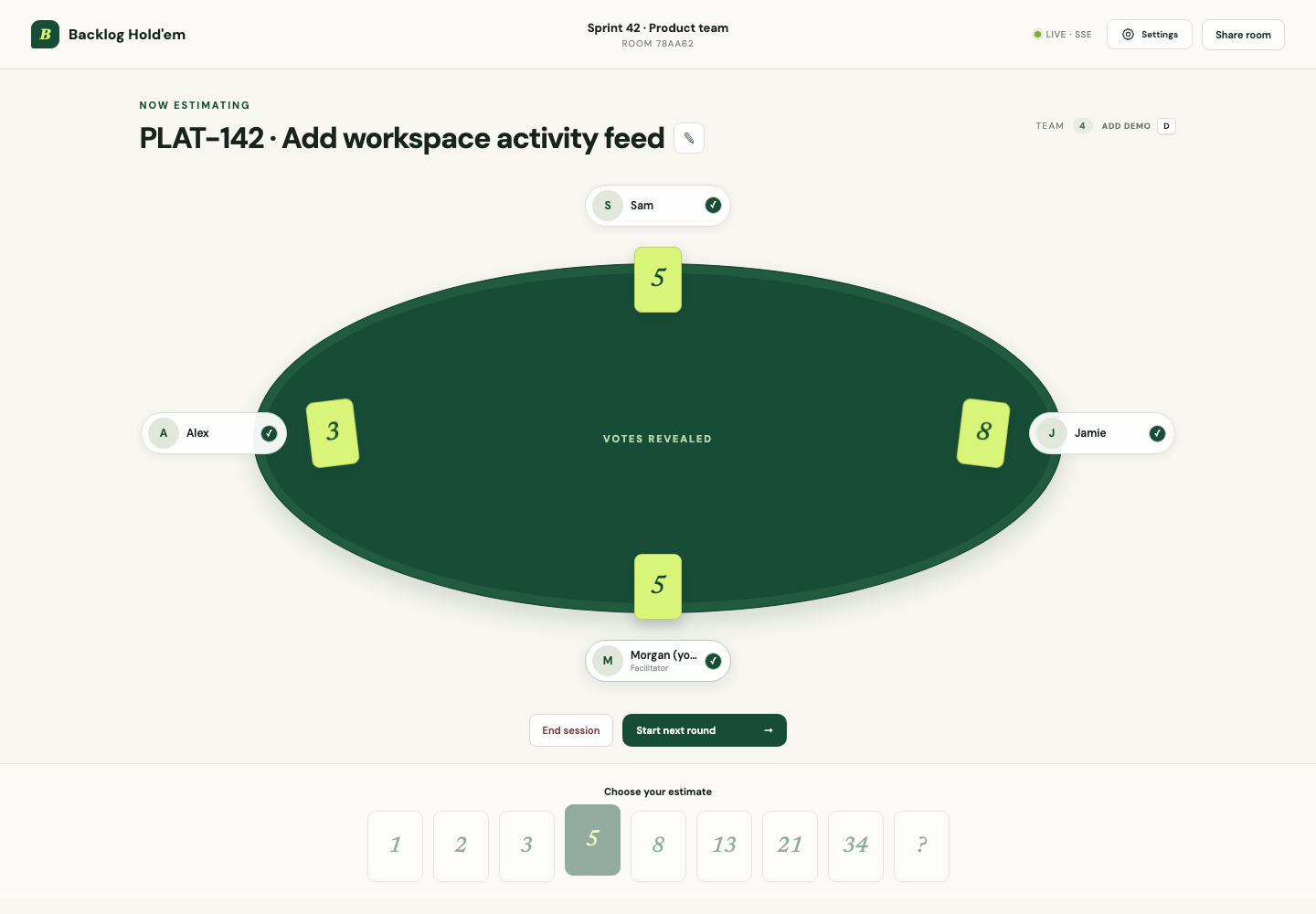
A Backlog Hold'em room after reveal, with each teammate’s estimate visible around the table.
A real room, a shared reveal, a clearer next step.
A link, not a sign-up flow Hidden votes, honest estimates Live updates for the whole team

FROM FIRST CLICK TO NEXT ROUND

Your first session,
in three simple steps.

Follow along at your own pace. The short clips are silent and only play when you press play.

01 / GET TOGETHER

One room.
Your whole team.

Choose an estimate deck and select Create a room. On the next screen, enter your name and join as a voter or spectator. You’re the host, so you set the pace.

  1. Use Share room to copy the link and send it to your teammates.
  2. Each teammate enters a name and joins as a voter or spectator.
  3. Select Edit story to add the work you’re estimating, then save it.

Just facilitating? Join as a spectator on the room’s join screen. You keep the host controls without adding an estimate of your own.
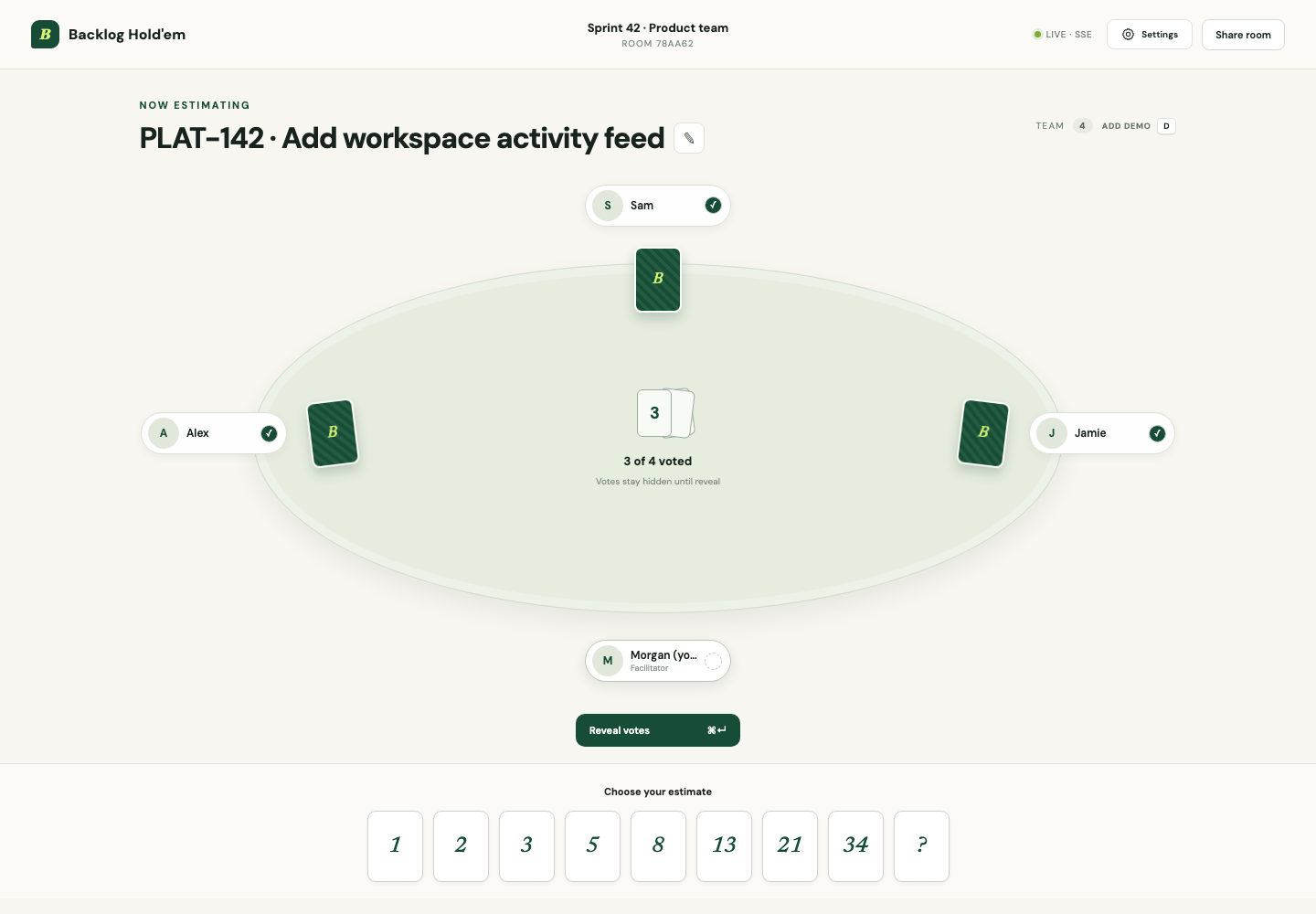
Teammates gathered around a planning poker table with a story ready to estimate and votes still hidden.
SCREENSHOT Everyone shares the same story and table. Select the image for a closer look.
02 / THINK, THEN REVEAL

Choose privately.
Learn together.

Talk through the story, then let everyone pick a card. You can see who has voted, but estimates stay hidden until the reveal.

  1. Choose an estimate from the deck. You can change it before the reveal.
  2. When the team is ready, the host selects Reveal votes.
  3. Compare the estimates and ask what’s behind the differences.

Make room for uncertainty. A different estimate is a useful starting point for a conversation, not a wrong answer.

WATCH · NO AUDIO A teammate chooses a card, the host reveals, and the team's estimates appear together.
03 / BUILD MOMENTUM

Keep moving.
See the bigger picture.

Once you’ve discussed the results, move on to the next story. When you’re done, see how the team estimated across the session.

  1. The host selects Start next round to clear the current votes.
  2. Edit the story for the next item, or estimate the same one again after discussing it.
  3. After the final reveal, choose End session to see completed-round counts, consensus, and participation in the team summary.

Keep the discussion human. Use the results to surface assumptions and agree on what the work involves.

WATCH · NO AUDIO The host starts the next round, updates the story, reveals a consensus vote, and ends the session to view the summary.

SMALL DETAILS. BETTER SESSIONS.

Built for the way
your team works.

A seat for everyone

Join as a voter or a spectator. Facilitators can run the room without adding an estimate of their own.

Independent estimates

Cards stay face down until the host reveals them. Give everyone space to think before comparing numbers.

Your table, your view

Choose light or dark mode, and reveal cards beside each player or grouped in the center of the table.

The whole session, in view

End the session to see completed-round counts, participation, consensus, and a summary of how the team estimated.

YOUR NEXT PLANNING SESSION STARTS HERE

Bring a story.
Find your shared understanding.

Let’s make an estimate

Create a room. Share the link. You’re ready.